Every game on your cafe server, updated before you open.
GamesUpdater runs on your game server at night, updates every launcher, proves each update by its version, and sends you one message in Telegram. Your PCs boot with fresh games - no customer waits on a 40 GB patch.
5 days free · no payment details · nothing installed on client PCs
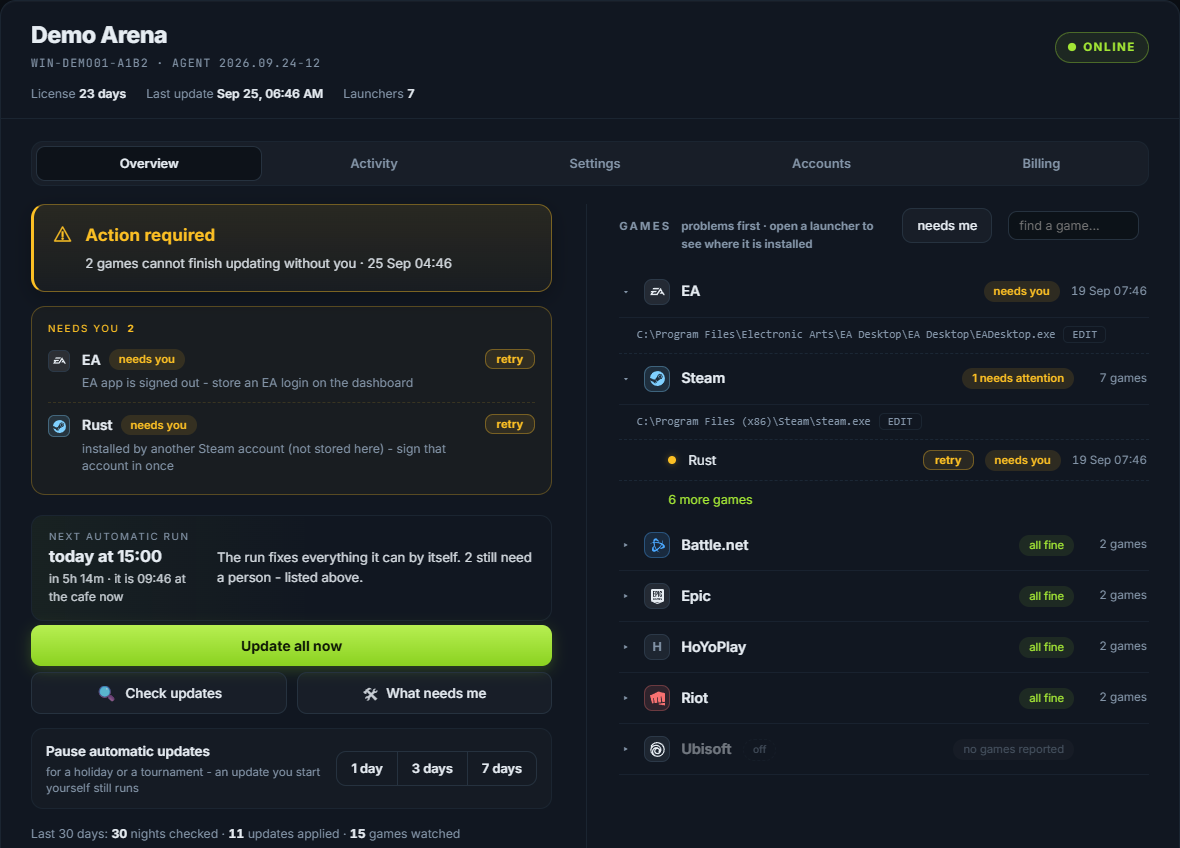
Patch day, without the rush
What changes in your cafe
See GamesUpdater in action
From a sleeping server to a ready cafe.
And in the morning, one message in your Telegram - a real report from a cafe server:
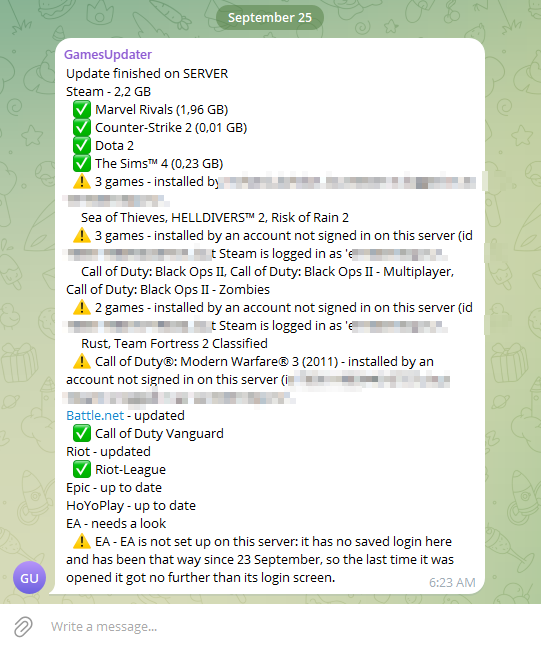
The product
Your games. Your PCs. One dashboard.
Every game installed through these launchers is covered - a new game is updated the day you install it, with nothing to add.
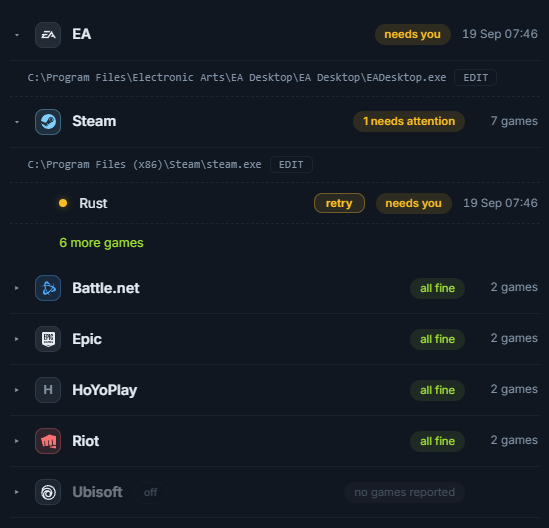
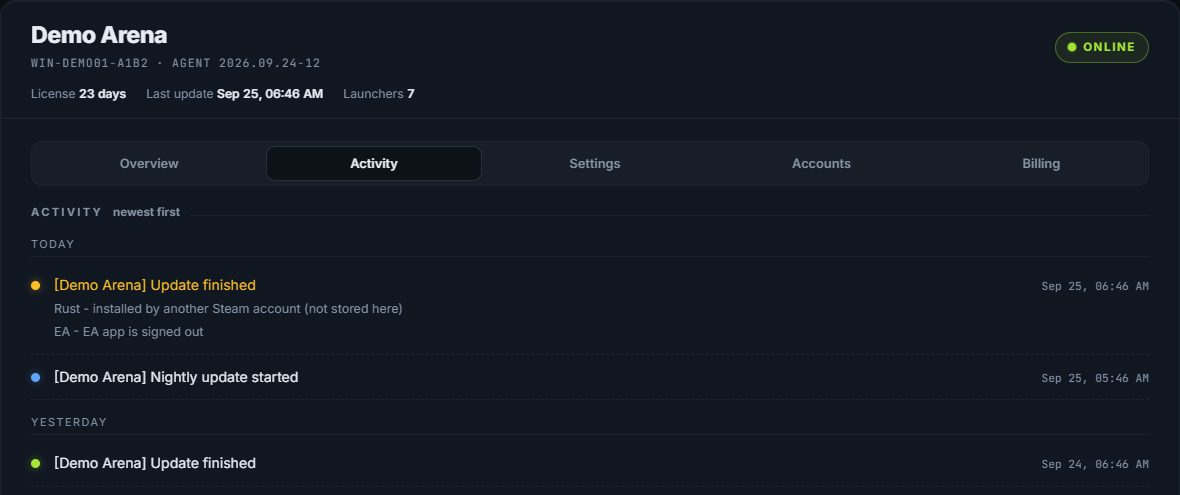
On your phone
Everything comes to your Telegram.
Check, update and answer a code from anywhere - no remote desktop to the server.
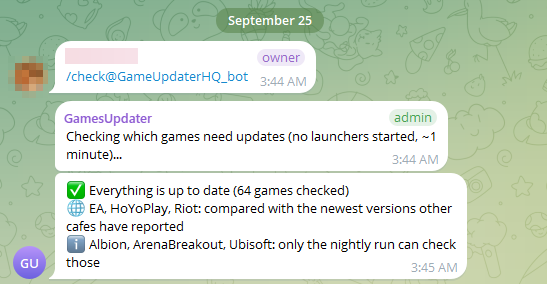
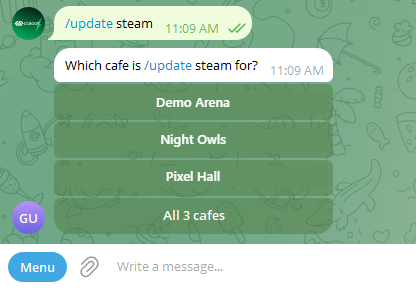
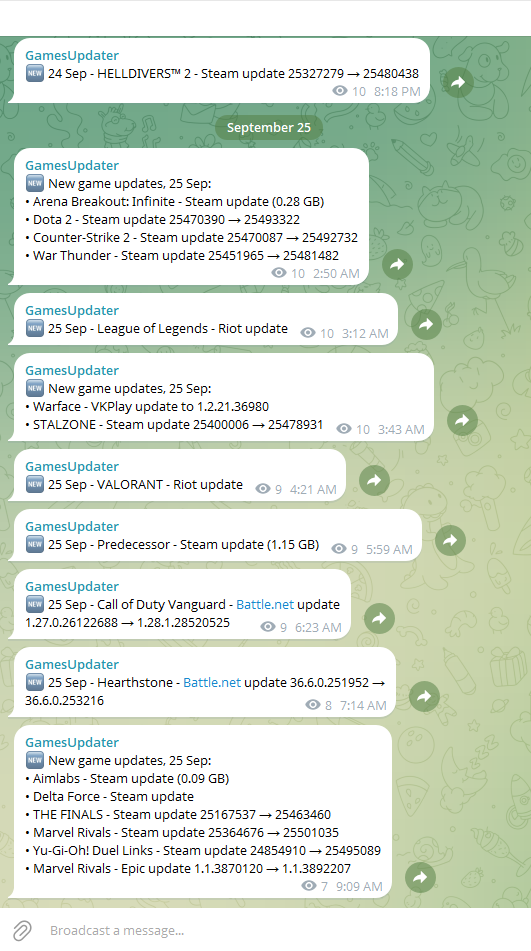
Real screenshots from Telegram - names of people, accounts and cafes blurred or replaced.
Built for gaming cafes
Careful with your server and your accounts.
Protected logins
Stored launcher logins are encrypted, only ever sent to your own licensed server, and never shown back on any page.
Signed updates
New versions of GamesUpdater itself are code-signed, and your server refuses one that is not.
Central management
Every game, setting and report for your server in one private page and one Telegram chat - several cafes included.
Pricing
One price per game server.
However many client PCs it serves. Every feature is included.
- Every launcher and every feature
- Telegram reports and your private page
- Updates to GamesUpdater itself included
- Everything in monthly
- One payment a year
- Saves $30 a year
- The full product, no limits
- No payment details needed
- Several cafes? Talk to us about a price
Paid in USDT (TRC20) from any wallet or exchange, on your dashboard's Billing tab - reminders come in Telegram before the licence ends. How payment works →
Questions
Frequently asked
What games are supported?
Every game installed through these launchers: Steam, Battle.net, Epic Games, Riot, EA app, Ubisoft Connect, HoYoPlay, VK Play, Lesta Game Center, Wargaming.net Game Center, TLauncher, Albion Online, Arena Breakout: Infinite, Escape from Tarkov. GamesUpdater works through each launcher's own update - so a new game on Steam or Epic is covered the day you install it, with nothing to add.
Does it work with Steam?
Yes. It updates through the Steam client itself, handles several Steam accounts on one server (it switches to the account that owns a game), signs Steam back in with a login you stored, and asks you in Telegram for the Steam Guard code when one is needed.
How does updating work?
At the hour you choose, on your cafe's own clock, it opens each launcher on the game server, lets it download what is waiting, and reads each game's installed version before and after. Only a version that really moved is reported as updated. Client PCs get the new files from the server as they always do, at their next boot.
How many PCs can I manage?
As many as your game server serves - the price is per game server, not per PC. Several game servers (or several cafes) each get their own licence, and one Telegram account can follow all of them.
Does it run automatically?
Yes. Every night at your hour, plus extra times during the day if you want them. If the server was switched off at that hour, it catches up when it comes back on (within 6 hours). You can also start an update or a check from Telegram at any time.
What happens if an update fails?
The morning report names the game and the reason in plain words - a signed-out launcher, a game owned by another Steam account, a code to enter - with what to do. Your dashboard has a retry button, and the next run tries again by itself. It never closes a launcher in the middle of a download.
How are launcher logins protected?
Logins you store are kept encrypted on our server and are only ever sent to the licensed game server of that cafe. They are never shown back on any page, and the updater only types them into the launcher's own sign-in window. Storing logins is optional - a launcher you sign in yourself needs none.
What are the system requirements?
A Windows game server (Windows 10/11 or Windows Server) with the launchers installed - CCBoot, iCafeCloud or any other setup that serves games from one server - an internet connection, and Windows signed in (we recommend automatic sign-in, so a power cut cannot stop it). Nothing is installed on the client PCs. Telegram is used for the reports.
Will it disturb my customers?
It runs at the hour you choose, before you open. If somebody moves the server's mouse while it is typing, it stops and tries again later.
Can my staff use it?
Yes. Connect a staff group in Telegram: employees can check and update; settings and payments stay with the owner.
Every command and every message is explained in the docs.
Your games, updated before you open.
Install tonight, read your first report tomorrow morning. 5 days free, no payment details.
Start free - 5 days