Launcher accounts
Why each cafe needs its own logins, and what happens when a game belongs to another account.
Updated 2026-09-21
What it does#
Games belong to accounts. A launcher will only update a game while an account that owns it is signed in - that is the store's rule, not the updater's. So the updater's job here is to tell you exactly which account a stuck game needs, and, when you have stored that login, to sign it in itself.
How to use it#
Three habits keep a cafe out of trouble:
- Every cafe has its own launcher accounts. Battle.net especially: one account signed in at two cafes logs the first one out, sometimes in the middle of a download.
- Install games with an account you will keep. A game installed by a borrowed account can only ever be updated by that account.
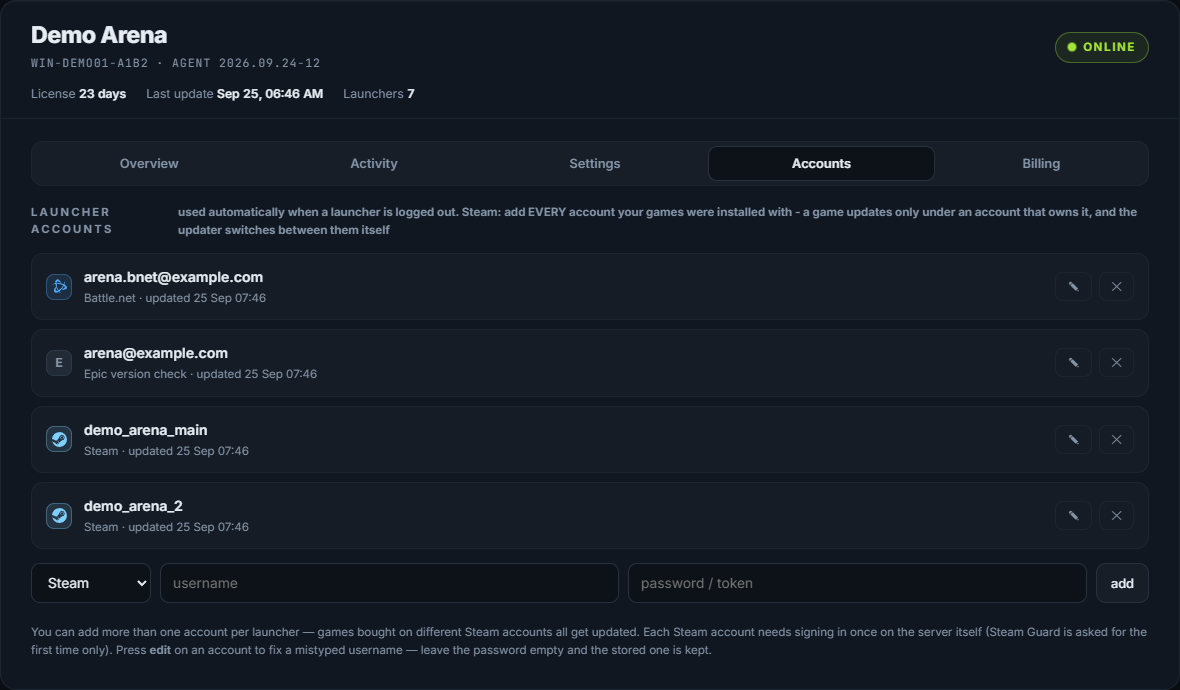
- Store each login you use on your dashboard, under Accounts. The updater then switches between Steam accounts by itself when a game needs its owner.
Send /owners to see which account installed which Steam game on this server.
What the reply means#
| Message | What it means |
|---|---|
| installed by 'bob', but Steam is logged in as 'alice' | That game needs bob signed in; store bob's login or sign it in on the server |
| installed by an account this server has never signed in as | Nobody here has ever used the owning account; the games it installed cannot update until somebody does |
| owned by another account, and its build matches the store, so there is nothing to ask anybody for | It belongs to someone else but it is current, so it is left alone |
| The store has build 25329877 and this install has 25329612 | It is behind and cannot be judged further without the owning account |
| recorded that Dota 2 updated while signed in as 'alice' - that is PROOF this account can update it | Ownership is learned from what actually worked, not guessed |
Free games are an exception: any signed-in account can update them, and the updater knows that.
When something needs you#
- A game that names an account you do not recognise. It was installed by a customer's or a staff member's account. Either sign that account in once, or reinstall the game with yours.
- "0 stored on your page". The updater has no login it may use; it can only report, not fix. Add them on your dashboard.