First-time setup (/setup)
The step-by-step wizard that gets every launcher signed in and ready.
Updated 2026-10-05
What it does#
Setup is the short list of things only a person can do: sign each launcher in on the server, and confirm it. The bot sends one step at a time, checks it, and only then sends the next. Until it is finished the nightly update starts no launcher: it tells you in Telegram which ones still need you, and runs normally once they are all signed in (or after 3 days at the latest).
How to use it#
You can do setup in two places - whichever is easier - and both show the same state.
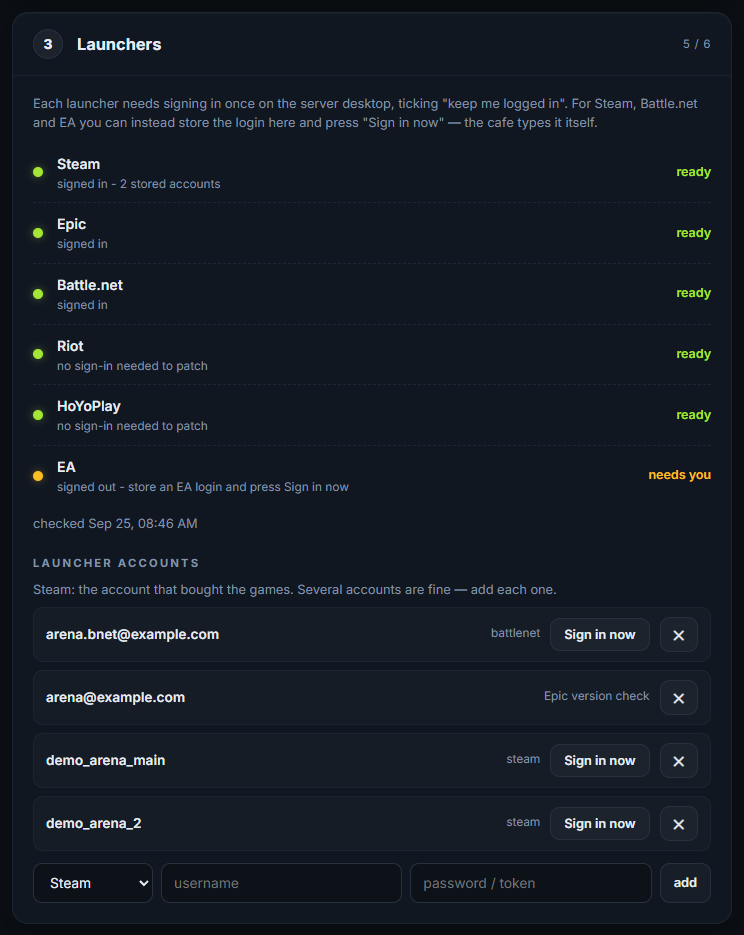
On the setup page (the browser page the installer opened, also behind the "GameUpdater - Connect Telegram" desktop shortcut). Step 3 lists every launcher with a green or amber dot; store a login there and press Sign in now and the server types it itself:
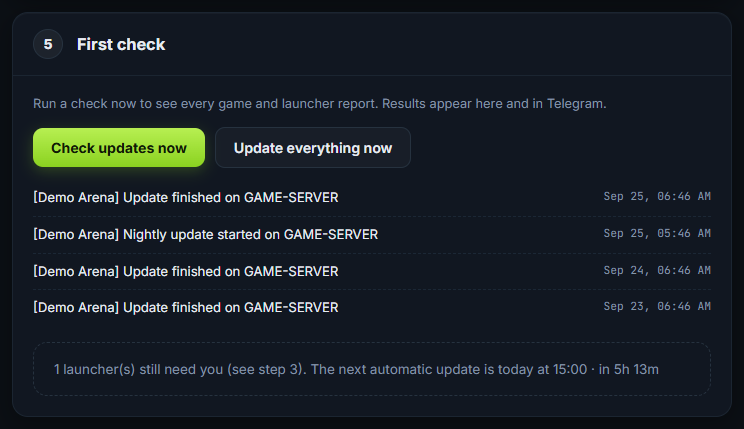
The last step runs a check (no launcher is started) and says whether anything still needs you. When every launcher is ready, open your dashboard from there and start the first full update:
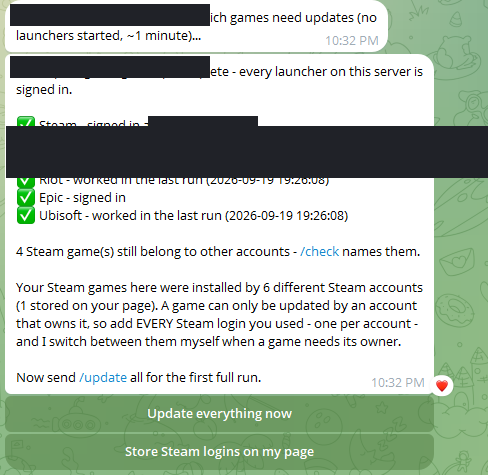
In Telegram. The first step arrives by itself when you connect Telegram. After that:
- /setup shows the current step again.
- Each step names one launcher: open it on the server desktop, sign in, tick "keep me logged in" where it offers it, then tap the button in Telegram to confirm.
- Where a launcher's login can be stored, the step offers "Store the login on my page" - do that and the updater signs that launcher in by itself from then on.
- /setup list shows every step and which are done.
Tip: Two habits that save trouble later. Start a launcher from its real program, not from an iCafeCloud shortcut - a shortcut can save the login somewhere the updater cannot see. And use launcher accounts that belong to this cafe, especially Battle.net: one account shared between two cafes cannot keep both signed in - see Launcher accounts.
What the reply means#
| Reply | What it means |
|---|---|
| SETUP - step 3 of 6 | Three launchers are ready; this is the next one |
| I cannot verify this one, so tap below only once it really is signed in | The updater has no way to read that launcher's login state; your confirmation is the record |
| Setup complete - every launcher on this server is signed in | Every launcher is ready. The last step is the first full update: tap Start the first full update |
| While it runs, please do NOT use this server's mouse or keyboard | The updater presses the launchers' own buttons on the real screen. If the mouse moves it stops, so leave the server alone until it messages you that the update finished (usually 20-60 minutes) |
| If you cannot leave the server alone now, skip it | The nightly run does the same first update at its usual time, once every launcher is signed in |
| Your Steam games here were installed by 2 different Steam accounts | Add each of those logins, or those games cannot update |
When something needs you#
- A step you cannot finish (a launcher that is not really installed) - tell your provider; that launcher can be switched off for your cafe so it stops being asked about.
- Setup says complete but a launcher still asks for a login later. The launcher forgot it - some do after an update. Sign in again, and store the login so the updater can do it next time.